> ## Documentation Index
> Fetch the complete documentation index at: https://docs.watt.ma/llms.txt
> Use this file to discover all available pages before exploring further.
# Charging Station Details in the watt.ma App
> View a watt.ma station's information: connectors, power, real-time status, and GPS navigation from the mobile app.
When you tap a station on the map or in the list, the watt.ma app opens a **Station Details** screen with all the useful information before you set off: opening status, address, available connectors, and GPS navigation.
## Overview
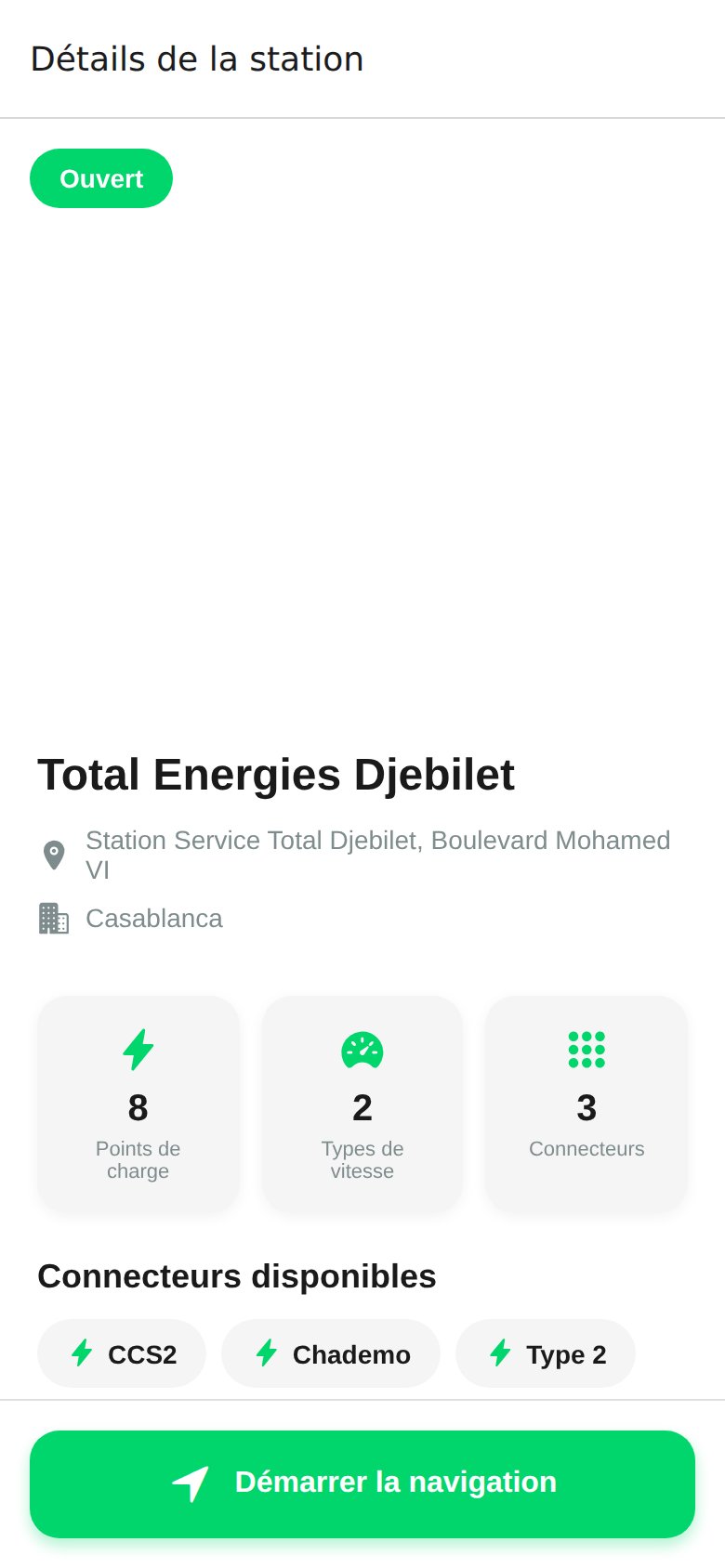 The screen displays:
* **Status badge**: `Open`, `Closed`, or `Under maintenance`.
* **Station name** (for example `Total Energies Djebilet`).
* **Full address** and **city** (Casablanca, Rabat, Marrakech, Tangier, etc.).
* **Three counters**: number of charge points, speed types, and connectors.
* **Available connectors**: CCS2, CHAdeMO, Type 2.
## Technical Information
For each station, the app shows:
| Field | Description |
| ------------- | ------------------------------------------------------------- |
| Charge points | Total number of physical connectors on site |
| Speed types | AC slow/fast, DC fast |
| Connectors | Plug types: CCS2, CHAdeMO, Type 2 |
| OCPP status | Available, Charging, Occupied, Out of service (from the CPMS) |
| Pricing | MAD per kWh, set by the station operator |
Status is updated in real time from the [watt.ma CPMS](/en/bornes/vue-ensemble) via OCPP 1.6J.
## Start Navigation
The **Start Navigation** button opens your phone's default map app (Google Maps, Apple Maps, or Waze) with the route preloaded to the station.
## Available Actions
* **Add to favorites**: heart icon at the top right. See [Favorites](/en/app-mobile/favoris).
* **Start charging**: from the **Charge** tab by scanning the station QR code on site. See [Start Charging](/en/app-mobile/demarrer-recharge).
* **Report a problem**: coming in a future release.
Stations come from the watt.ma partner operator network. The first public field deployment is planned at Al Akhawayn University in Ifrane.
The screen displays:
* **Status badge**: `Open`, `Closed`, or `Under maintenance`.
* **Station name** (for example `Total Energies Djebilet`).
* **Full address** and **city** (Casablanca, Rabat, Marrakech, Tangier, etc.).
* **Three counters**: number of charge points, speed types, and connectors.
* **Available connectors**: CCS2, CHAdeMO, Type 2.
## Technical Information
For each station, the app shows:
| Field | Description |
| ------------- | ------------------------------------------------------------- |
| Charge points | Total number of physical connectors on site |
| Speed types | AC slow/fast, DC fast |
| Connectors | Plug types: CCS2, CHAdeMO, Type 2 |
| OCPP status | Available, Charging, Occupied, Out of service (from the CPMS) |
| Pricing | MAD per kWh, set by the station operator |
Status is updated in real time from the [watt.ma CPMS](/en/bornes/vue-ensemble) via OCPP 1.6J.
## Start Navigation
The **Start Navigation** button opens your phone's default map app (Google Maps, Apple Maps, or Waze) with the route preloaded to the station.
## Available Actions
* **Add to favorites**: heart icon at the top right. See [Favorites](/en/app-mobile/favoris).
* **Start charging**: from the **Charge** tab by scanning the station QR code on site. See [Start Charging](/en/app-mobile/demarrer-recharge).
* **Report a problem**: coming in a future release.
Stations come from the watt.ma partner operator network. The first public field deployment is planned at Al Akhawayn University in Ifrane.