> ## Documentation Index
> Fetch the complete documentation index at: https://docs.watt.ma/llms.txt
> Use this file to discover all available pages before exploring further.
# Driver FAQ for the watt.ma Mobile App
> Quick answers to common watt.ma driver questions: starting a session, topping up your wallet, supported connector types.
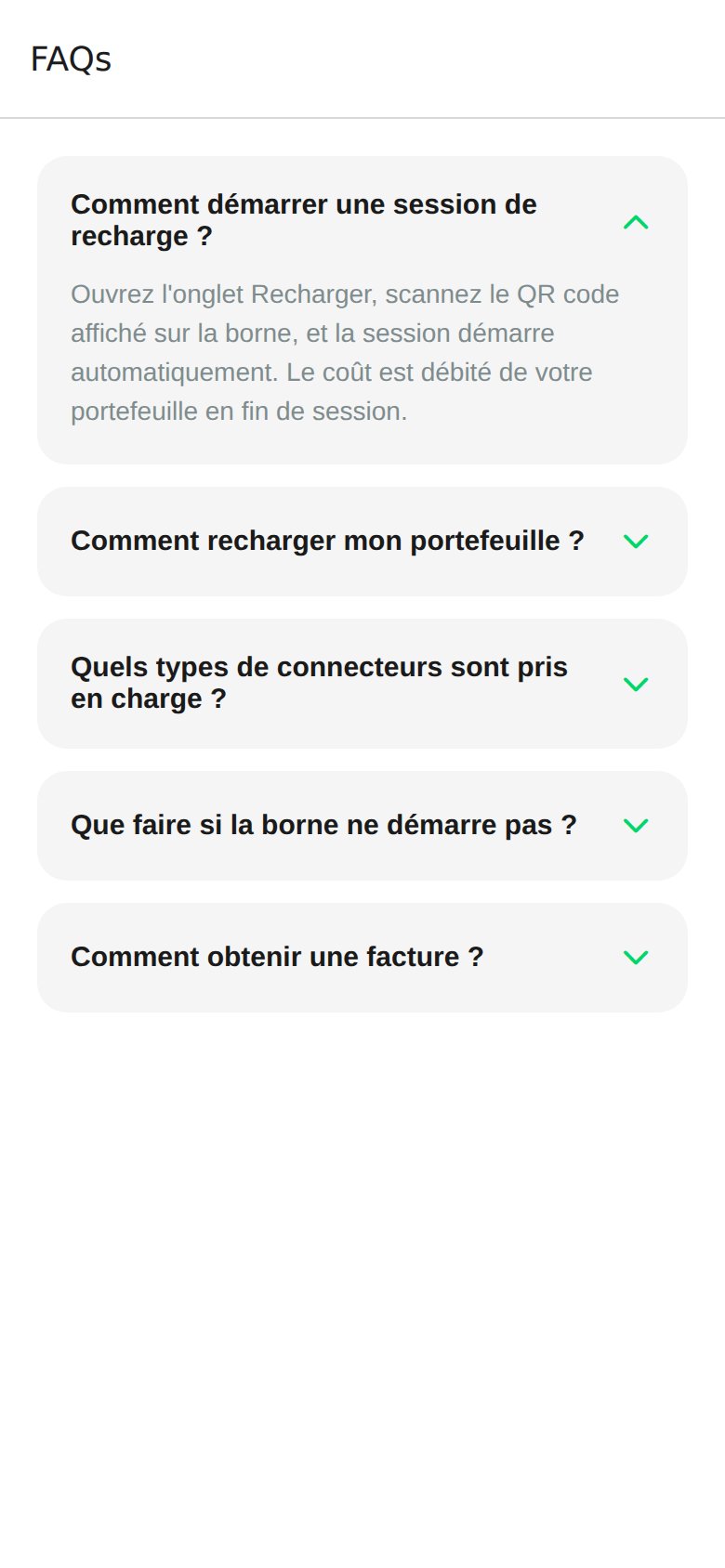
This page repeats the frequently asked questions displayed in the **FAQs** tab of the watt.ma app, accessible from **Settings → FAQs**. It complements the detailed guides in the rest of the Mobile App section.
 ## Frequently Asked Questions
Open the **Charge** tab, scan the QR code displayed on the station, and the session starts automatically. The cost is debited from your wallet at the end of the session. Full details on the [Start Charging](/en/app-mobile/demarrer-recharge) page.
From the **Profile** tab, tap **Top Up** above the wallet balance, choose an amount in dirhams (50, 100, 200, 500 MAD or custom), and confirm with your saved Visa, Mastercard, or CMI card. Details on [Wallet and Payment](/en/app-mobile/paiement).
Stations on the watt.ma network expose three connector types: **CCS2**, **CHAdeMO**, and **Type 2**. The type is shown on the [Station Details](/en/app-mobile/details-station) screen before you travel.
First check that the connector is fully inserted and that your vehicle accepts charging. If the problem persists, contact support with the station reference: [contact@wattsc.com](mailto:contact@wattsc.com) or WhatsApp `+212 770 238 225`. The station operator can also restart it remotely from the [CPMS](/en/bornes/tableau-de-bord).
Every transaction is recorded in **Profile → Transactions**. PDF export per session is planned in a future release. For an immediate invoice, send the transaction reference to [contact@wattsc.com](mailto:contact@wattsc.com). See the [Roadmap](/roadmap).
## Support Contact
* Email: [contact@wattsc.com](mailto:contact@wattsc.com)
* WhatsApp: `+212 770 238 225`
For technical integration questions (backend, OCPP, API), see the [Integrations and API](/en/api/acces-api) section.
## Frequently Asked Questions
Open the **Charge** tab, scan the QR code displayed on the station, and the session starts automatically. The cost is debited from your wallet at the end of the session. Full details on the [Start Charging](/en/app-mobile/demarrer-recharge) page.
From the **Profile** tab, tap **Top Up** above the wallet balance, choose an amount in dirhams (50, 100, 200, 500 MAD or custom), and confirm with your saved Visa, Mastercard, or CMI card. Details on [Wallet and Payment](/en/app-mobile/paiement).
Stations on the watt.ma network expose three connector types: **CCS2**, **CHAdeMO**, and **Type 2**. The type is shown on the [Station Details](/en/app-mobile/details-station) screen before you travel.
First check that the connector is fully inserted and that your vehicle accepts charging. If the problem persists, contact support with the station reference: [contact@wattsc.com](mailto:contact@wattsc.com) or WhatsApp `+212 770 238 225`. The station operator can also restart it remotely from the [CPMS](/en/bornes/tableau-de-bord).
Every transaction is recorded in **Profile → Transactions**. PDF export per session is planned in a future release. For an immediate invoice, send the transaction reference to [contact@wattsc.com](mailto:contact@wattsc.com). See the [Roadmap](/roadmap).
## Support Contact
* Email: [contact@wattsc.com](mailto:contact@wattsc.com)
* WhatsApp: `+212 770 238 225`
For technical integration questions (backend, OCPP, API), see the [Integrations and API](/en/api/acces-api) section.