> ## Documentation Index
> Fetch the complete documentation index at: https://docs.watt.ma/llms.txt
> Use this file to discover all available pages before exploring further.
# Driver Profile in the watt.ma App
> Manage your watt.ma profile: wallet balance, payment methods, transactions, favorites, and settings from a single screen.
The **Profile** screen in the watt.ma app centralizes all actions related to your driver account: wallet balance, payment methods, transaction history, favorite stations, and settings. It is the app's personal hub.
## Overview
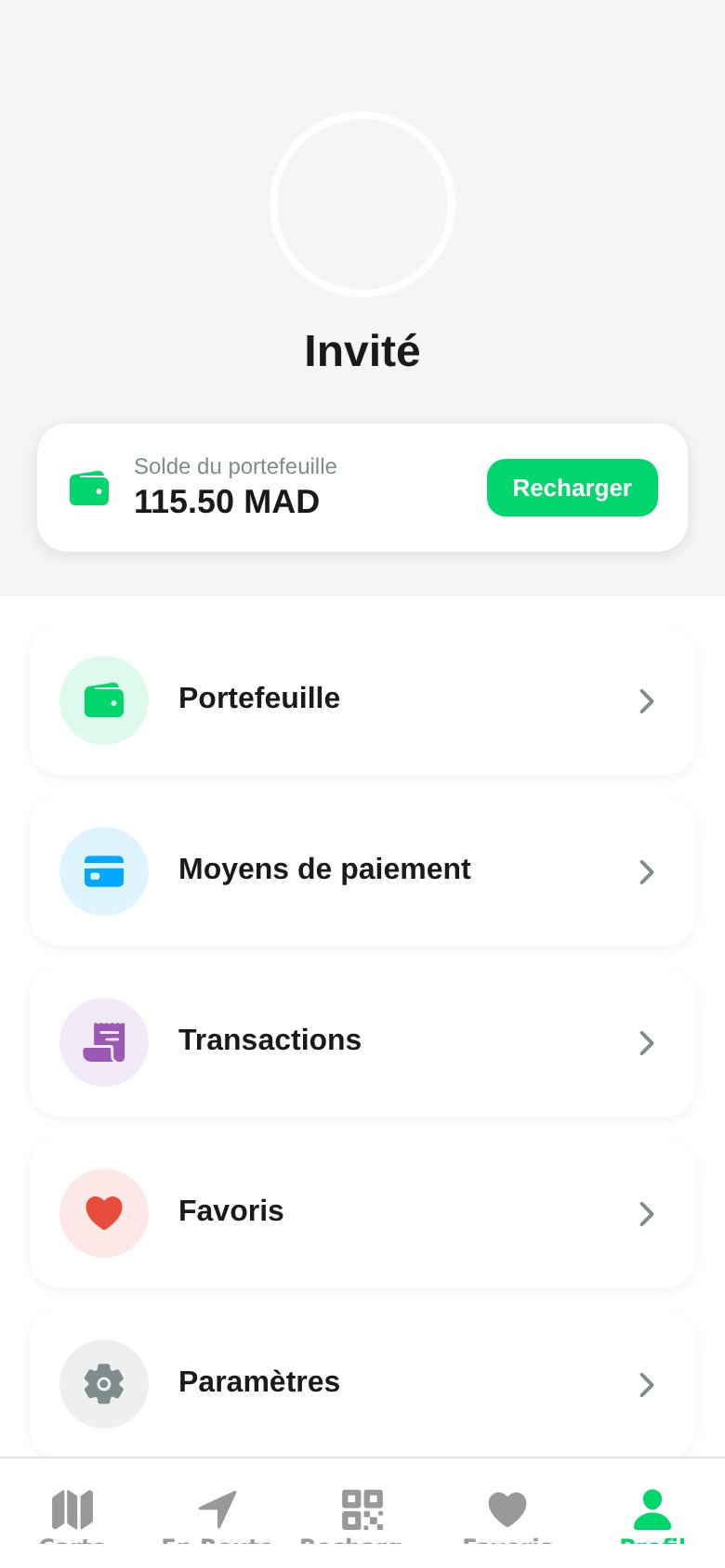 At the top: your name (or `Guest` in demo mode), your profile photo, and a card showing your **wallet balance** with a direct **Top Up** button.
## Profile Sections
Balance in dirhams, top-ups, and automatic debits at the end of each session.
Saved Visa, Mastercard, and CMI cards, default card, plus adding and removing cards.
Chronological log of top-ups, sessions, and refunds.
Pinned stations for quick access from the map.
Notifications, location, dark mode, language, and legal documents.
Quick answers to the most common driver questions.
## Quick Actions
* **Top up the wallet**: green button directly on the balance card.
* **Sign out**: at the bottom of the Settings screen.
* **Delete account**: request it at [contact@wattsc.com](mailto:contact@wattsc.com), in compliance with law 09-08.
Station operators use a separate interface: the web [CPMS dashboard](/en/bornes/tableau-de-bord).
The **Profile** screen in the watt.ma app centralizes all actions related to your driver account: wallet balance, payment methods, transaction history, favorite stations, and settings. It is the app's personal hub.
## Overview
At the top: your name (or `Guest` in demo mode), your profile photo, and a card showing your **wallet balance** with a direct **Top Up** button.
## Profile Sections
Balance in dirhams, top-ups, and automatic debits at the end of each session.
Saved Visa, Mastercard, and CMI cards, default card, plus adding and removing cards.
Chronological log of top-ups, sessions, and refunds.
Pinned stations for quick access from the map.
Notifications, location, dark mode, language, and legal documents.
Quick answers to the most common driver questions.
## Quick Actions
* **Top up the wallet**: green button directly on the balance card.
* **Sign out**: at the bottom of the Settings screen.
* **Delete account**: request it at [contact@wattsc.com](mailto:contact@wattsc.com), in compliance with law 09-08.
Station operators use a separate interface: the web [CPMS dashboard](/en/bornes/tableau-de-bord).
At the top: your name (or `Guest` in demo mode), your profile photo, and a card showing your **wallet balance** with a direct **Top Up** button.
## Profile Sections
Balance in dirhams, top-ups, and automatic debits at the end of each session.
Saved Visa, Mastercard, and CMI cards, default card, plus adding and removing cards.
Chronological log of top-ups, sessions, and refunds.
Pinned stations for quick access from the map.
Notifications, location, dark mode, language, and legal documents.
Quick answers to the most common driver questions.
## Quick Actions
* **Top up the wallet**: green button directly on the balance card.
* **Sign out**: at the bottom of the Settings screen.
* **Delete account**: request it at [contact@wattsc.com](mailto:contact@wattsc.com), in compliance with law 09-08.
Station operators use a separate interface: the web [CPMS dashboard](/en/bornes/tableau-de-bord).
The **Profile** screen in the watt.ma app centralizes all actions related to your driver account: wallet balance, payment methods, transaction history, favorite stations, and settings. It is the app's personal hub.
## Overview
At the top: your name (or `Guest` in demo mode), your profile photo, and a card showing your **wallet balance** with a direct **Top Up** button.
## Profile Sections
Balance in dirhams, top-ups, and automatic debits at the end of each session.
Saved Visa, Mastercard, and CMI cards, default card, plus adding and removing cards.
Chronological log of top-ups, sessions, and refunds.
Pinned stations for quick access from the map.
Notifications, location, dark mode, language, and legal documents.
Quick answers to the most common driver questions.
## Quick Actions
* **Top up the wallet**: green button directly on the balance card.
* **Sign out**: at the bottom of the Settings screen.
* **Delete account**: request it at [contact@wattsc.com](mailto:contact@wattsc.com), in compliance with law 09-08.
Station operators use a separate interface: the web [CPMS dashboard](/en/bornes/tableau-de-bord).