
Overview
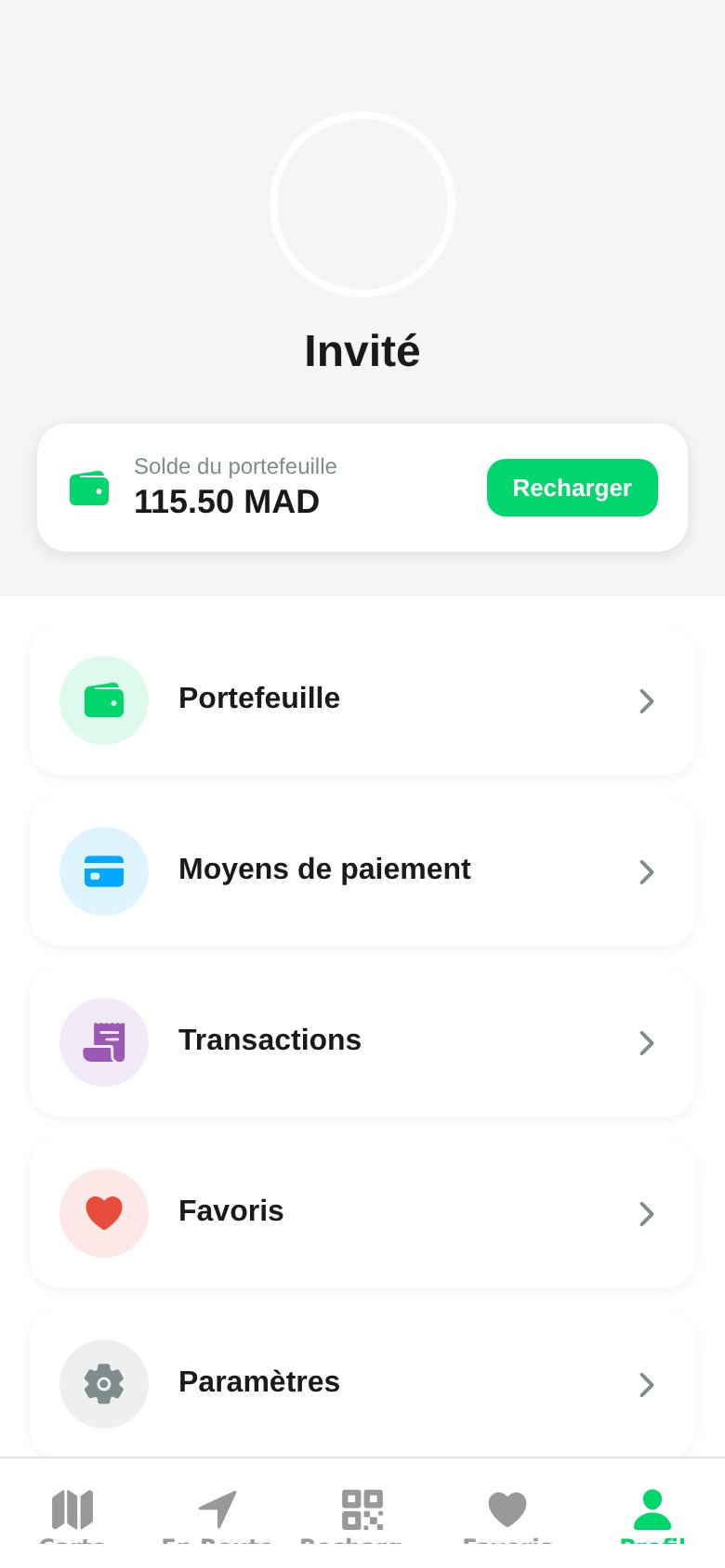
Guest in demo mode), your profile photo, and a card showing your wallet balance with a direct Top Up button.
Profile Sections
Wallet
Balance in dirhams, top-ups, and automatic debits at the end of each session.
Payment Methods
Saved Visa, Mastercard, and CMI cards, default card, plus adding and removing cards.
Transactions
Chronological log of top-ups, sessions, and refunds.
Favorites
Pinned stations for quick access from the map.
Settings
Notifications, location, dark mode, language, and legal documents.
FAQs
Quick answers to the most common driver questions.
Quick Actions
- Top up the wallet: green button directly on the balance card.
- Sign out: at the bottom of the Settings screen.
- Delete account: request it at contact@wattsc.com, in compliance with law 09-08.
Overview
Guest in demo mode), your profile photo, and a card showing your wallet balance with a direct Top Up button.
Profile Sections
Wallet
Balance in dirhams, top-ups, and automatic debits at the end of each session.
Payment Methods
Saved Visa, Mastercard, and CMI cards, default card, plus adding and removing cards.
Transactions
Chronological log of top-ups, sessions, and refunds.
Favorites
Pinned stations for quick access from the map.
Settings
Notifications, location, dark mode, language, and legal documents.
FAQs
Quick answers to the most common driver questions.
Quick Actions
- Top up the wallet: green button directly on the balance card.
- Sign out: at the bottom of the Settings screen.
- Delete account: request it at contact@wattsc.com, in compliance with law 09-08.